

How AI Is Transforming Daily Work in Service Teams
Reduce downtime and improve service efficiency with AI-powered troubleshooting. Learn how service teams use ilean to solve problems faster and capture knowledge.


Autodesk’s Revit 2027 release introduces a focused set of architectural updates that reflect Autodesk’s move toward cloud‑connected and data‑driven design. The headline feature is the Forma Connected Client, a technology preview that links Revit to Forma for contextual data and early‑stage analysis. Alongside this, the release includes practical workflow enhancements such as improved wall creation, early embodied carbon data for materials, and more flexible stair numbering to support everyday production work.

Revit 2027 shows us the first steps towards seamless integration between the Forma cloud platform and desktop design software.
To take advantage of this, the Revit model must be a cloud model and connected to a Forma Site Design scenario. The scenario acts as a container in the Forma Data Management module and allows the different software, i.e. Revit and Forma, to exchange information without having to carry out an export or import process.
Part of the process of connecting to a scenario is to specify a Geolocation for the model. This is required to locate the project so that the contextual and wind data is relevant to the project.
Once a model is connected to a scenario, contextual data can be ordered via the Forma marketplace panel. Available data will depend on the project’s geolocation.
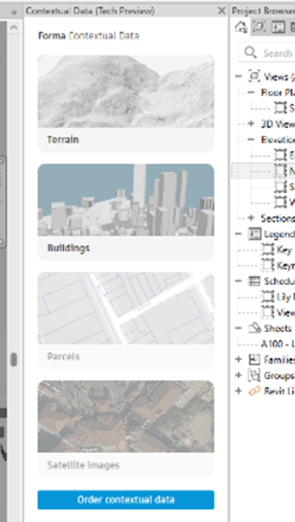
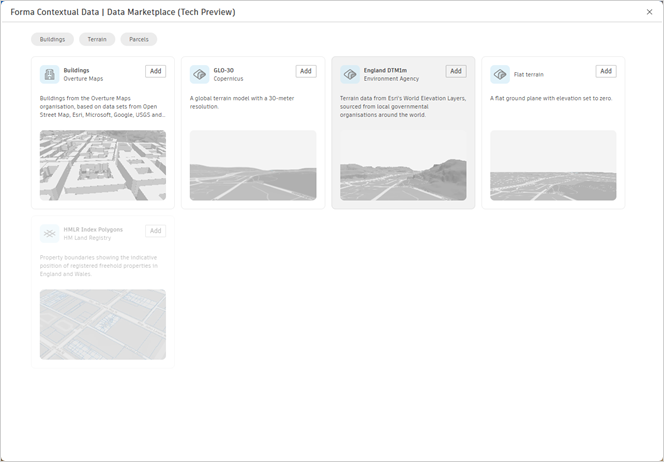
This typically consists of terrain and surrounding buildings in the UK, with sources based on Environment Agency and Open Street Map data.
These models are created in the Forma app and stored in the Scenario file. They are then linked to the Revit model using the Coordination Model function that has been available in Revit for some years now. They can be converted to Revit geometry to enable editing and generally improve the use of the data in the Revit environment.
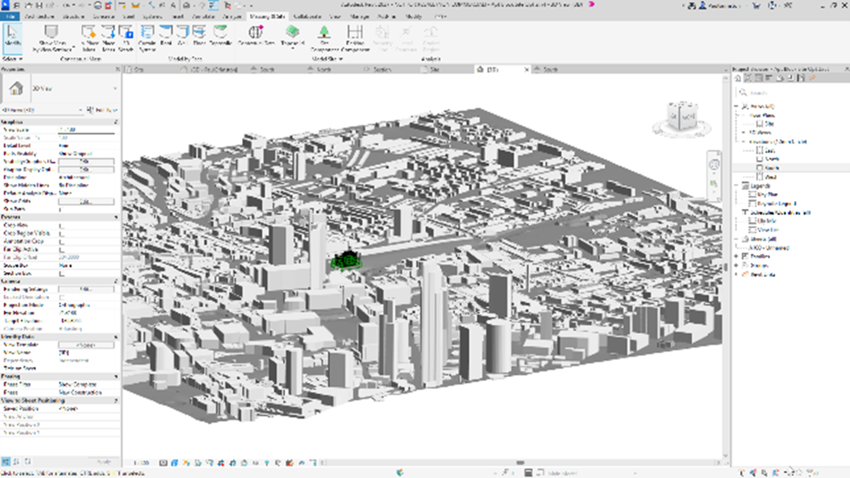
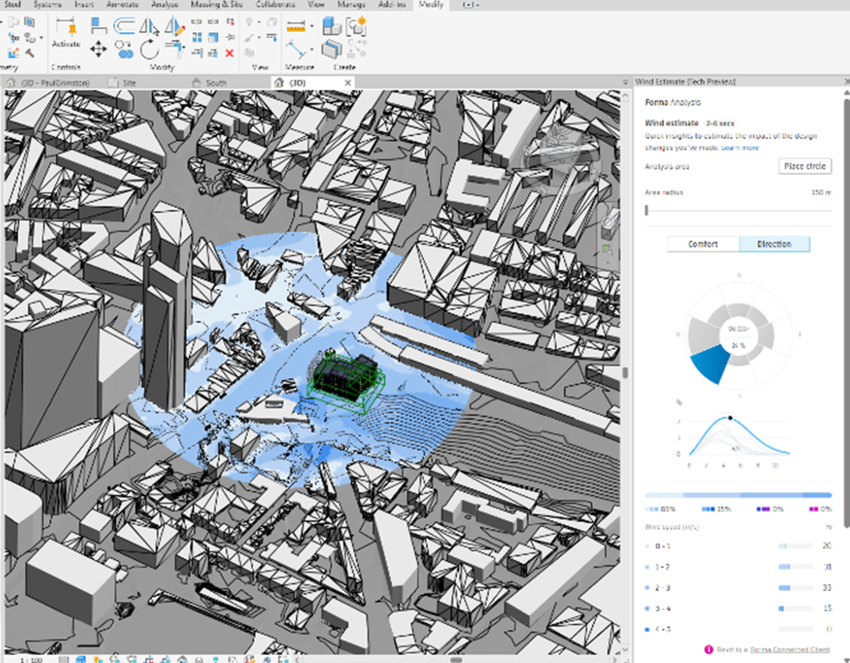
The other option of interest via this technology preview is the wind analysis feature. There are two types available, an Estimate which takes a few seconds to calculate both pedestrian comfort and wind speed and direction.
The area of the simulation is defined by placing a circular zone in the model which is then colour coded to display the results in the Revit view along with details in the Forma Analysis panel.
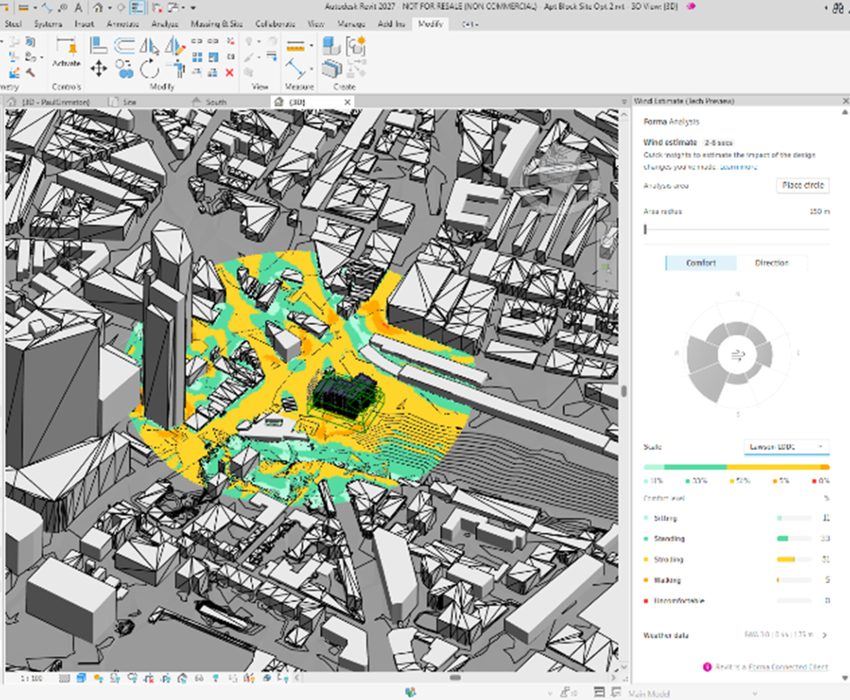
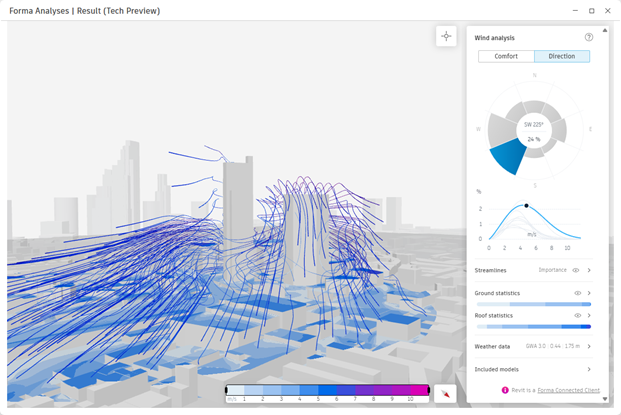
The second type of wind analysis is the Wind Simulation. This performs a much more detailed analysis for both direction and comfort and can take between 30 and 60 minutes depending on the complexity of the model. The analysis is run on the Forma cloud app, so it does not interrupt your work in Revit, and once complete, the results can be displayed in a separate window, this detailed simulation includes the streamlines to interactively visualise the wind path around the model.
There have been several improvements over the previous releases around creating walls based on rooms and 2027 continues that theme.
First, all the options are now located on the ribbon now the options bar has been removed. The Place by Room and Place by Segment options have been moved into the sketching tools next to the By Face option.
The Auto Join & Lock feature has been superseded by an option to host the created wall on the existing wall, but only when using the Place by Room or Segment creation tools.

The hosted wall can be offset from the host, meaning that air gaps can be included in the model without having an actual object to represent it. Obviously, being hosted means if the host is moved in any way, then this wall will follow.
When using the Place by Room or Segment options, there is now an option to choose which side of the wall will be placed against the existing wall via an Exterior or Interior Side setting.
And finally, the Room Bounding option in the properties palette and be set during the creation process.
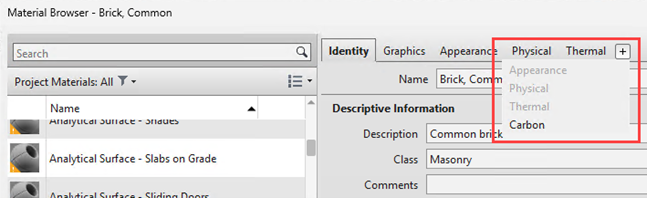
Hidden in amongst the material browser has been added the option to associate embodied carbon data to Revit materials. This takes advantage of the new connection via an API to external databases. Currently the EC3 material database is enabled, and Carbon assets have been created for the standard Autodesk materials.
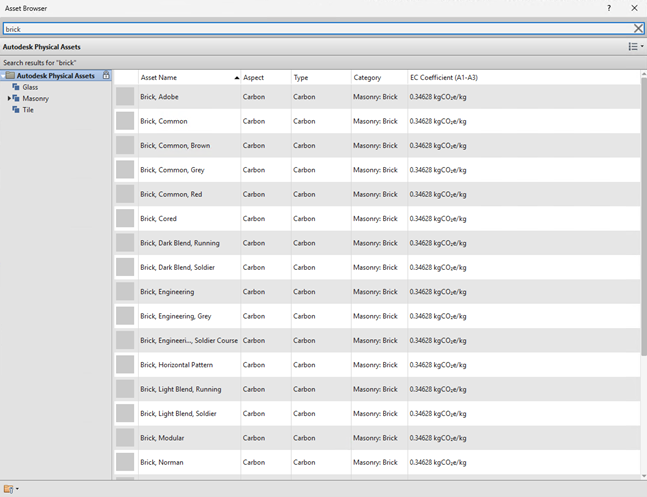
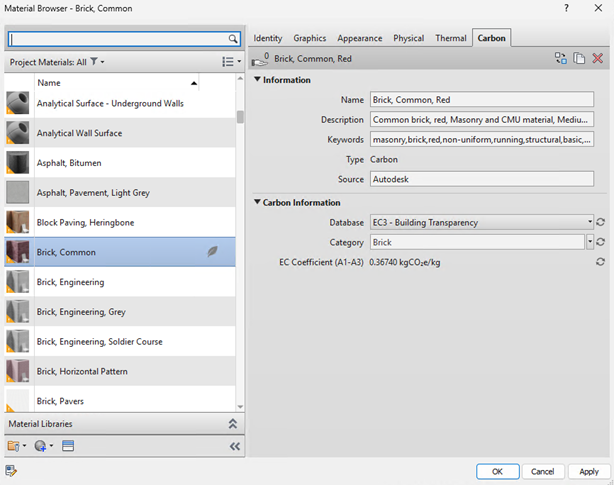
However, the CO2e data is not easy to modify, and the material categories are fairly generic, so they are likely only suitable for high‑level or early‑stage analysis.
At present, it is unclear how this data can be effectively used within Revit, as it does not appear to be available for scheduling.
This also does not appear to be an efficient workflow, as it would require creating Revit materials for a large number of construction products and then ensuring they are correctly assigned to the appropriate families and types. More specialised embodied‑carbon tools for Revit exist, such as Naviate Zero, which offer a more flexible approach to assigning carbon data directly to model elements.
The stair numbering tool now includes type parameters to give more control over the appearance of the labels. Above and below the cut line can be controlled separately, with access given to customise fonts, colours and general text properties.
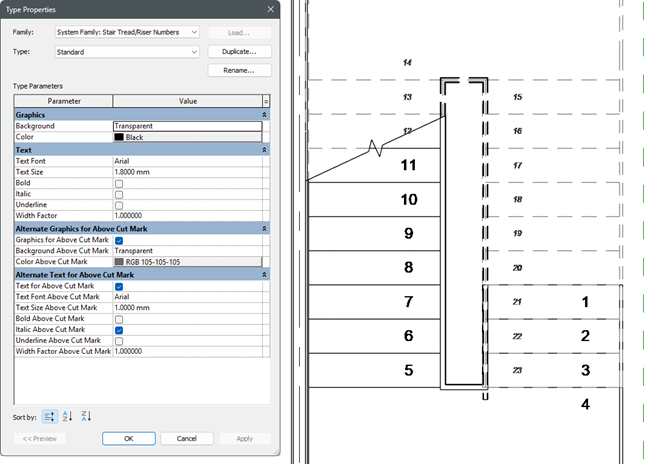
As they are type driven, duplicates can be made to have different types for different situations. Another new option sees the stair tread/riser number tag be included in the Tag All not Tagged feature.
To support these new Revit 2027 capabilities, now is a great time to take advantage of our training opportunities. Whether you’re looking to refine your core Revit skills or deepen your capabilities, we’re offering an exclusive 25% discount on any Revit training course booked before 1st June.
When booking a training course on our website, please use the discount code: AUTODESK27
This is also an ideal opportunity to explore how complementary tools and structured workflows can enhance your Revit environment.
If you have any questions or would like help choosing the right training option, please contact us.
Need help deciding whether you should upgrade to the Revit 2027 releases or need more help understanding how they can fit into your workflows? Get in touch below!
You can also call us on 0345 370 1444 or email info@symetri.co.uk
Reduce downtime and improve service efficiency with AI-powered troubleshooting. Learn how service teams use ilean to solve problems faster and capture knowledge.
The construction industry is entering a new era, and Bluebeam is once again leading the way. In 2026, Bluebeam Max will launch as a new premium subscription that combines the power of Revu with advanced AI technology. This blog highlights just some of features you will expect to see within Bluebeam Max.
In construction, the gap between the construction site and the office has always been a challenge. But by combining Bluebeam’s powerful PDF markup tools with GoCanvas’s mobile forms, companies can finally achieve seamless documentation that flows effortlessly from site to office.