

How AI Is Transforming Daily Work in Service Teams
Reduce downtime and improve service efficiency with AI-powered troubleshooting. Learn how service teams use ilean to solve problems faster and capture knowledge.


AutoCAD 2027 introduces new tools to improve collaboration, drawing accuracy, and productivity, including Autodesk Forma data management integration, Geometry Cleanup, and the AI‑powered Autodesk Assistant. In this guide, we highlight the key Autodesk 2027 updates and explain how they support more efficient, connected workflows for design teams.
Watch this video to see our consultant Geoff Alder walk through the full feature overview of AutoCAD 2027.
This article covers:
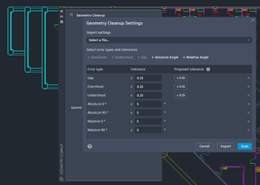
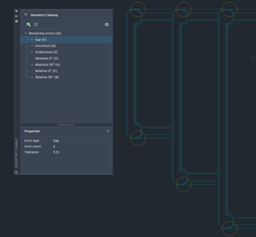
This dialog allows tolerances to be defined for the selected geometry.
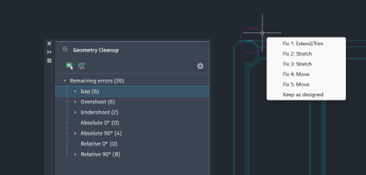
Hovering over a highlighted error displays the available fix options.
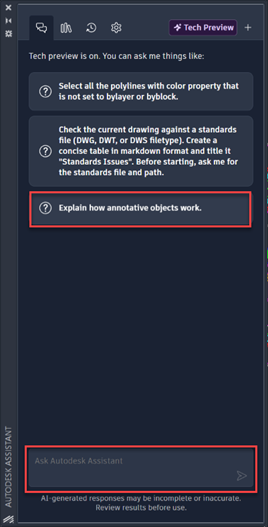
Here for example I can ask the assistant to explain how annotative objects work or type in another question.
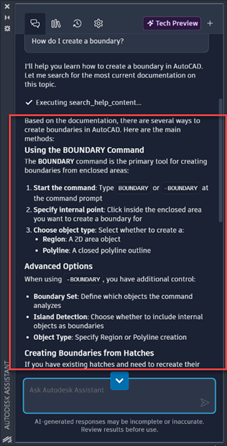
I typed in “How do I create an Boundary” and immediately I have a comprehensive answer directly in the Assistant.
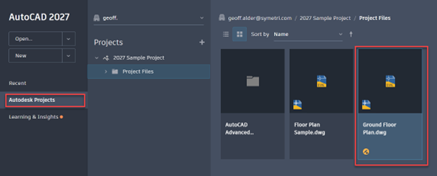
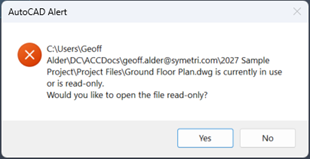
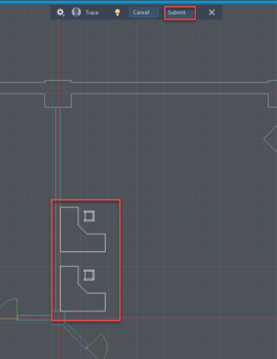
Once the changes have been submitted, the read‑only drawing can be closed.
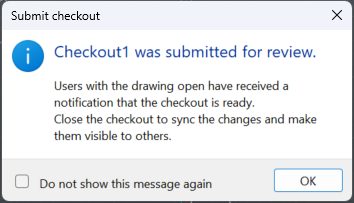
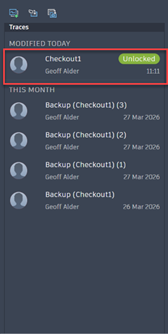
Selecting the checked out modification on the traces dialogue will display the trace and allow the user to either merge that modification or cancel it.
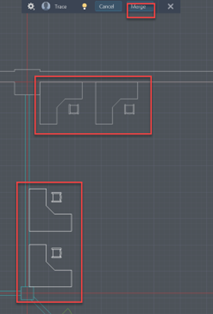
Selecting merge will then import the changes, allowing the drawing to be updated.
To support these new AutoCAD 2027 capabilities, now is a great time to take advantage of our training opportunities. Whether you’re looking to refine your core AutoCAD skills or improve collaboration using cloud‑connected workflows, we’re offering an exclusive 25% discount on any AutoCAD training course booked before 1st June.
When booking a training course on our website, please use the discount code: AUTODESK27
This is also an ideal opportunity to explore how complementary tools and structured workflows can enhance your AutoCAD environment, helping to improve drawing consistency, data management, and collaboration across project teams.
If you have any questions or would like help choosing the right training option, please contact us.
Need help deciding whether you should upgrade to the Autodesk 2027 releases or need more help understanding how they can fit into your workflows? Get in touch below!
You can also call us on 0345 370 1444 or email info@symetri.co.uk
Reduce downtime and improve service efficiency with AI-powered troubleshooting. Learn how service teams use ilean to solve problems faster and capture knowledge.
The construction industry is entering a new era, and Bluebeam is once again leading the way. In 2026, Bluebeam Max will launch as a new premium subscription that combines the power of Revu with advanced AI technology. This blog highlights just some of features you will expect to see within Bluebeam Max.
In construction, the gap between the construction site and the office has always been a challenge. But by combining Bluebeam’s powerful PDF markup tools with GoCanvas’s mobile forms, companies can finally achieve seamless documentation that flows effortlessly from site to office.