

How AI Is Transforming Daily Work in Service Teams
Reduce downtime and improve service efficiency with AI-powered troubleshooting. Learn how service teams use ilean to solve problems faster and capture knowledge.


Autodesk’s Revit 2027 release introduces a range of updates to the core platform, with a particular focus on object numbering, automation, performance, and documentation workflows. This section outlines the main new features, including rule‑based numbering, AI‑assisted tooling in preview, and a series of incremental improvements aimed at supporting day‑to‑day production work.

This article covers:
A feature that has long been requested is the ability to assign numbers, or identifiers, to objects based on defined criteria. Being able to specify a Level, Department, Room, or Type and then generate sequential numbers is fundamental to how elements are identified on most projects.
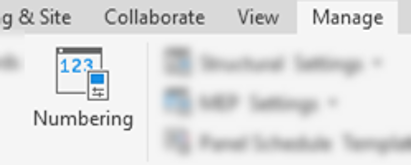
On larger projects, having hundreds of doors, windows, lights, or other elements identified only by a simple sequential number quickly becomes difficult to manage. Combining contextual information—such as a room number, level, or department—with a sequence, makes elements far easier to locate, coordinate, and reference across drawings and schedules.
Prior to Revit 2027, creating these types of numbering systems (often referred to as unique identifiers) required either manual input, object by object, or the use of dedicated third‑party add‑ins such as Naviate Architecture & Accelerate to automate the process.
Numbering Templates in Revit 2027
Revit 2027 introduces rule‑based numbering templates that automatically assign numbers to objects based on shared parameter values. Multiple rules can be created, with each rule defined as a Numbering Template. Available parameters vary by category, in a similar way to schedule creation.
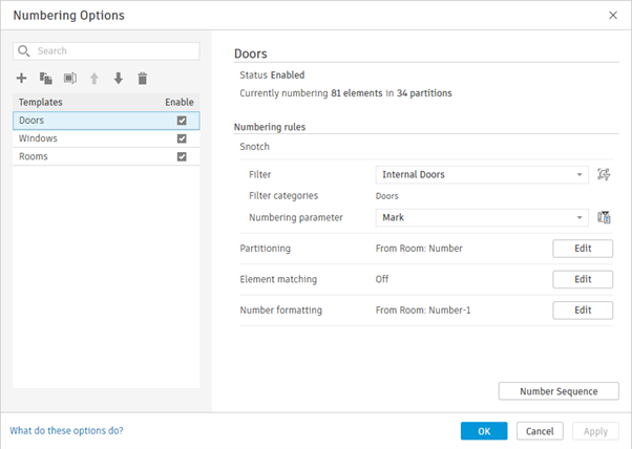
The process begins by creating or selecting a Revit filter to define which objects are included. A target parameter is then chosen to receive the number, this may be the default Mark or Number parameter, or a custom shared parameter.
Configuring Numbering Rules
Once the objects and target parameter are defined, there are three main configuration options
Each partition can also have its own starting value, allowing for example different levels to begin numbering from different points rather than all starting at “1”.
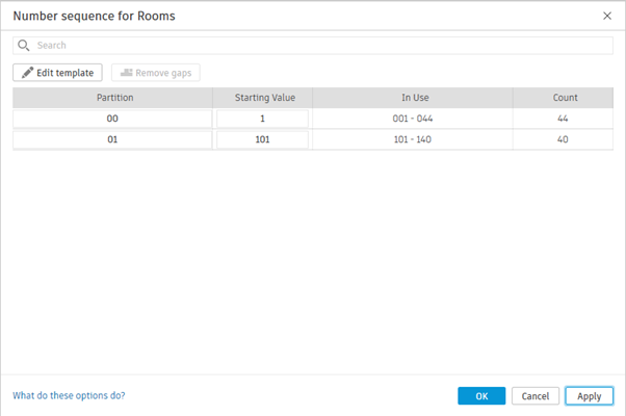
This feature is long overdue and will be extremely useful for implementing consistent, project‑specific numbering systems directly within Revit. However, one significant limitation remains, the order of sequential numbering is still driven by element creation order.
As with existing numbered elements such as doors, rooms, and windows, there is often a need to rationalise numbering once layouts stabilise. On large models, manually reordering hundreds or thousands of elements is time‑consuming and impractical. This limitation is precisely why renumbering add‑ins and Dynamo scripts remain so widely used.
While the new rule‑based numbering tools are strong for defining structure and grouping, the requirement to manually control sequence order means third‑party tools such as the Naviate Accelerate Renumber tool will still be necessary in many workflows.
When launched, the Assistant provides example prompts to indicate its current capabilities, which include:
Autodesk also provides guidance on the Assistant’s intended scope. When asked about its limitations, the Assistant returns a lengthy list of tasks it cannot currently perform, followed by a clear summary of where it is designed to be most effective:
“What I'm best at: querying your model, analysing elements, modifying parameters, creating views and schedules, organising documentation, and answering how‑to questions about Revit workflows.”
This clarification usefully sets expectations, positioning the Assistant as a tool for model querying, coordination, and light automation rather than full model authoring or more complex decision‑driven workflows.
Once familiar with its range of capabilities, the Assistant can be genuinely useful, but effective use depends on writing clear and specific prompts. Requirements such as naming and numbering conventions must be explicitly stated, particularly when creating views or sheets. More complex tasks often need to be broken into multiple steps for example, creating sheets first and then issuing follow‑up prompts to change title blocks or adjust naming and numbering.
The potential of the AI‑driven Assistant is significant, but it needs to be tested carefully against real projects and workflows. One area where it may add value is in model checking and data aggregation tasks, such as:
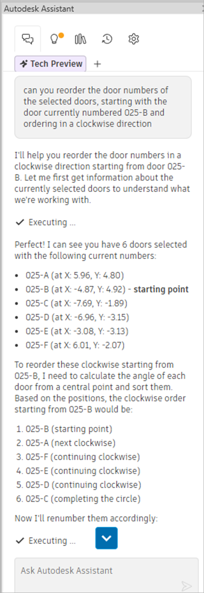 Whether the Assistant can replace established add‑ins and scripted workflows remains debatable. Experienced Revit users can often complete the same tasks just as quickly. if not quicker, using familiar tools, and purpose‑built add‑ins with task‑specific interfaces are likely to remain more efficient for repeated use than continually re‑prompting an AI tool.
The Assistant also relies entirely on standard Revit functionality. It cannot load families or perform broader model edits, and actions such as tagging or view placement are carried out using existing Revit tools.
For less experienced users, the Assistant may provide a quicker way to find answers to common questions than searching documentation or online resources.
Overall, it feels like a sensible first step, pitched at an appropriate level given current industry caution around AI. As with any AI‑based tool, its outputs should be reviewed carefully, and it should not be relied upon for business‑critical tasks. Each team will need to assess where it meaningfully reduces time spent on their most repetitive or time‑consuming activities.
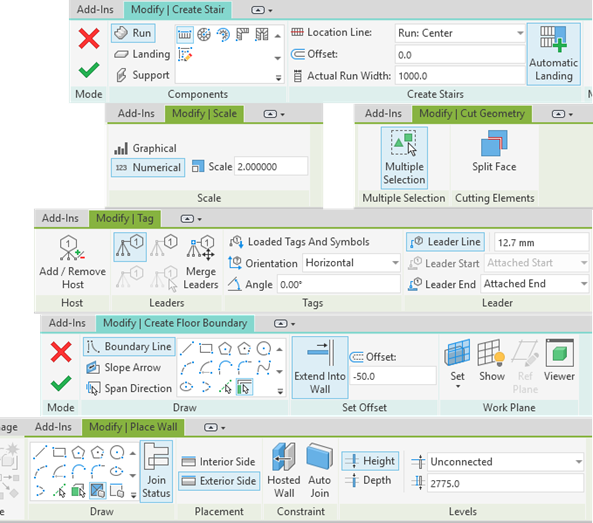
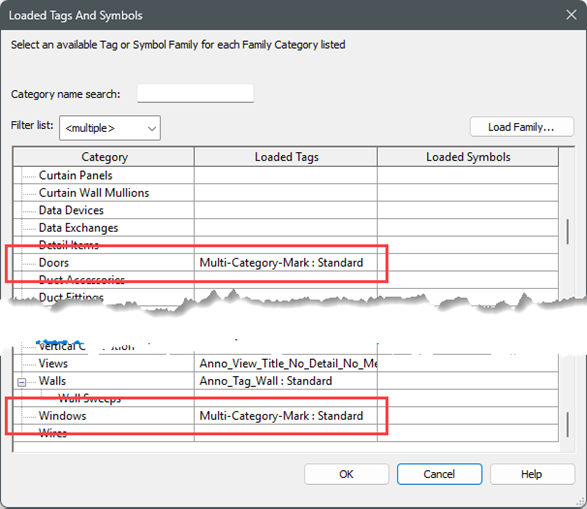
Multi-Category Tags can now be specified as the default tag for objects via the Loaded Tags and Symbols setting. This means that the multi-category tag would then be used by the Tag by Category and Tag All Not Tagged tools.
It’s a small change but will make a welcome difference to tagging workflows. For instance one multi-category tag family can be used instead of having to create and load many similar tag families for individual categories.
Also a multi-category tag could be created to display the Mark parameter and then be used for both doors and windows, plus anything else that needed to have its Mark tagged on a drawing.
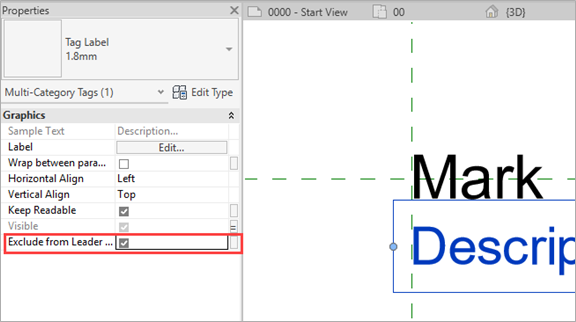
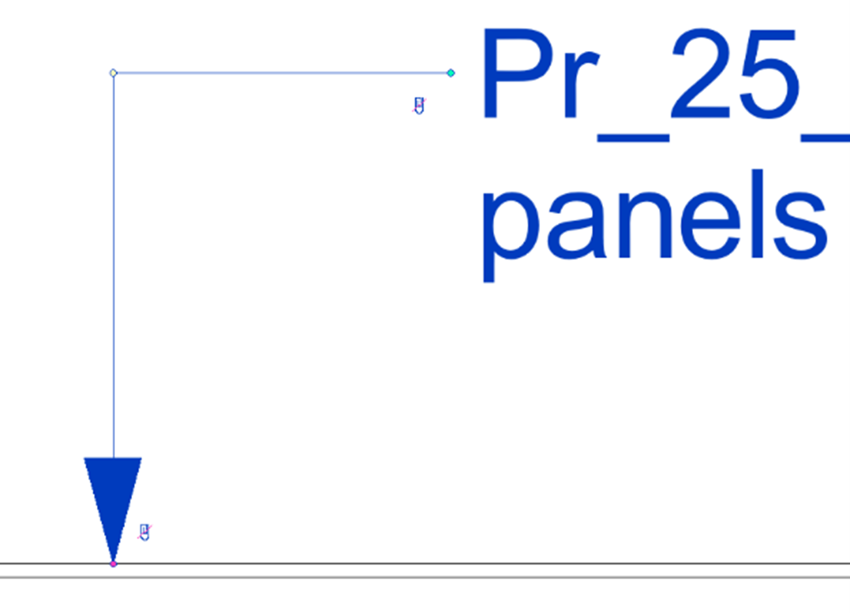
Tag families now have more control over the leader line placement. The elements in the tag family can be excluded from the leader line geometry, meaning that the leader will ignore that element when placing a leader line automatically. This helps when labels are hidden in some family types and allows the leader to attach to the main label information.
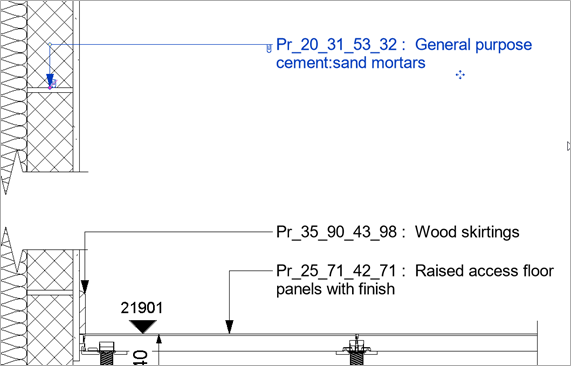
There are also new controls over the start and end snapping of the leader lines. When a tag is selected in the view, the start and end of the leader can be unclipped and repositioned on screen making tags easier to be placed consistently, leading to a better, more professional output.
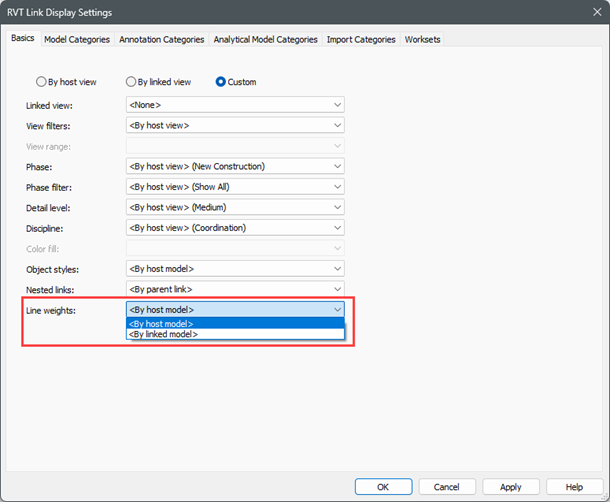
The accelerated graphics that have been present since 2025 have been further improved to support more features. The performance increase with the GPU enabled graphics is quite significant, especially when working on large models.
One specific feature on 3D views worth investigating is the section box working in real time. This makes it much easier to get the 3D section exactly where you want it rather than having to approximate it and re-adjust as is the case with the standard graphics.
To support these new Revit 2027 capabilities, now is a great time to take advantage of our training opportunities. Whether you’re looking to refine your core Revit skills or deepen your capabilities, we’re offering an exclusive 25% discount on any Revit training course booked before 1st June.
When booking a training course on our website, please use the discount code: AUTODESK27
This is also an ideal opportunity to explore how complementary tools and structured workflows can enhance your Revit environment.
If you have any questions or would like help choosing the right training option, please contact us.
Need help deciding whether you should upgrade to the Revit 2027 releases or need more help understanding how they can fit into your workflows? Get in touch below!
You can also call us on 0345 370 1444 or email info@symetri.co.uk
Reduce downtime and improve service efficiency with AI-powered troubleshooting. Learn how service teams use ilean to solve problems faster and capture knowledge.
The construction industry is entering a new era, and Bluebeam is once again leading the way. In 2026, Bluebeam Max will launch as a new premium subscription that combines the power of Revu with advanced AI technology. This blog highlights just some of features you will expect to see within Bluebeam Max.
In construction, the gap between the construction site and the office has always been a challenge. But by combining Bluebeam’s powerful PDF markup tools with GoCanvas’s mobile forms, companies can finally achieve seamless documentation that flows effortlessly from site to office.